

Dental Sensors & Software for Your Dental Practice | DentiMax
DentiMax Dream Sensor
Say Hello to the DentiMax Dream Sensor, The Award-Winning Dental X-Ray Sensor
See why dentists are switching to our award-winning dental sensors & software.


Dental Practice Management Software
The Dental Practice Management Software You Need
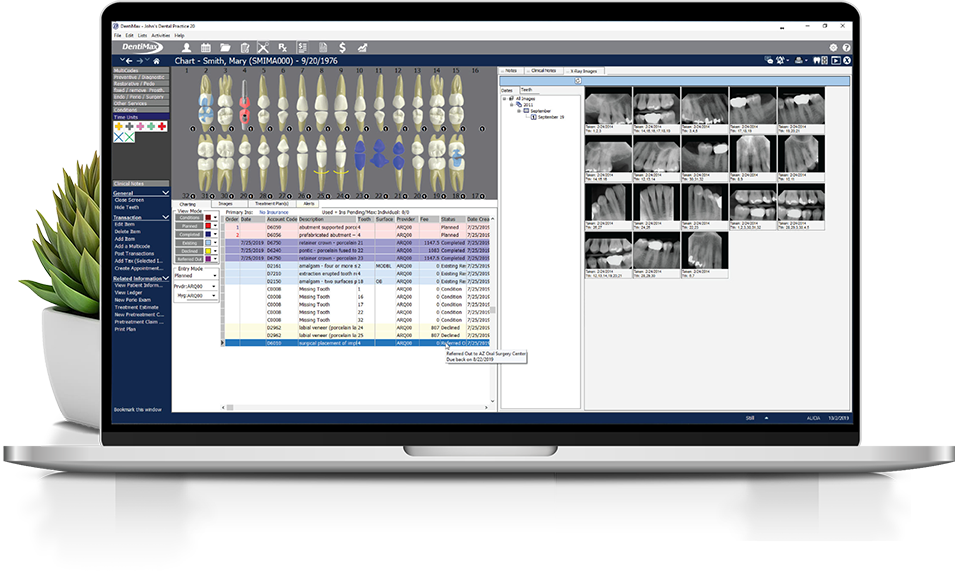
Simple and powerful dentist software with tools for scheduling, billing, charting, reporting, messaging and more.

Dental Imaging Software
Dental Imaging Software That Works With Your Practice
Capture x-rays from any digital x-ray sensor you choose. Works with virtually all practice management software.

Frequently Asked Questions
DentiMax has been recognized as one of the best dental office software on the market. Our commitment to delivering easy-to-use, powerful, and low cost practice management software has earned us several awards. Experience for yourself why DentiMax is the only advanced practice management software to have earned a perfect 5.0 score from Dental Product Shopper. We’re constantly committed to giving you the best features, tools, and support to make you and your staffs’ job easy and efficient. A combination of dental sensors & software designed to compliment each other improves your practice.
With the DentiMax TWAIN driver, you will be able to capture images with our imaging software and in most imaging applications that support TWAIN acquisition.
There are some applications which the workflow is less than optimal. So you’ll want to contact your DentiMax sales representative for the specifics.
The DentiMax Imaging Software is one of the very few, truly open digital imaging systems. It supports practically all dental sensors & software on the market. Every sensor, phosphor plate scanner, intra-oral cameras, and digital pan/ceph units.
What our Customers are Saying
$89/Month!

Get all the sensors your office needs without paying thousands up front. Take advantage of our monthly payment plan!
(Subject to approval. Actual payments may be higher or lower. Limited time offer.)
days
hours
minutes
seconds
