
Dental Software Program Features
DentiMax offers easy-to-use, full-featured dental software programs that completely integrate dental practice management, digital imaging and patient clinical charting. DentiMax has the right dental practice management software features you need at a low price. Keep reading to find out more information about the benefits and features of our dental software program.
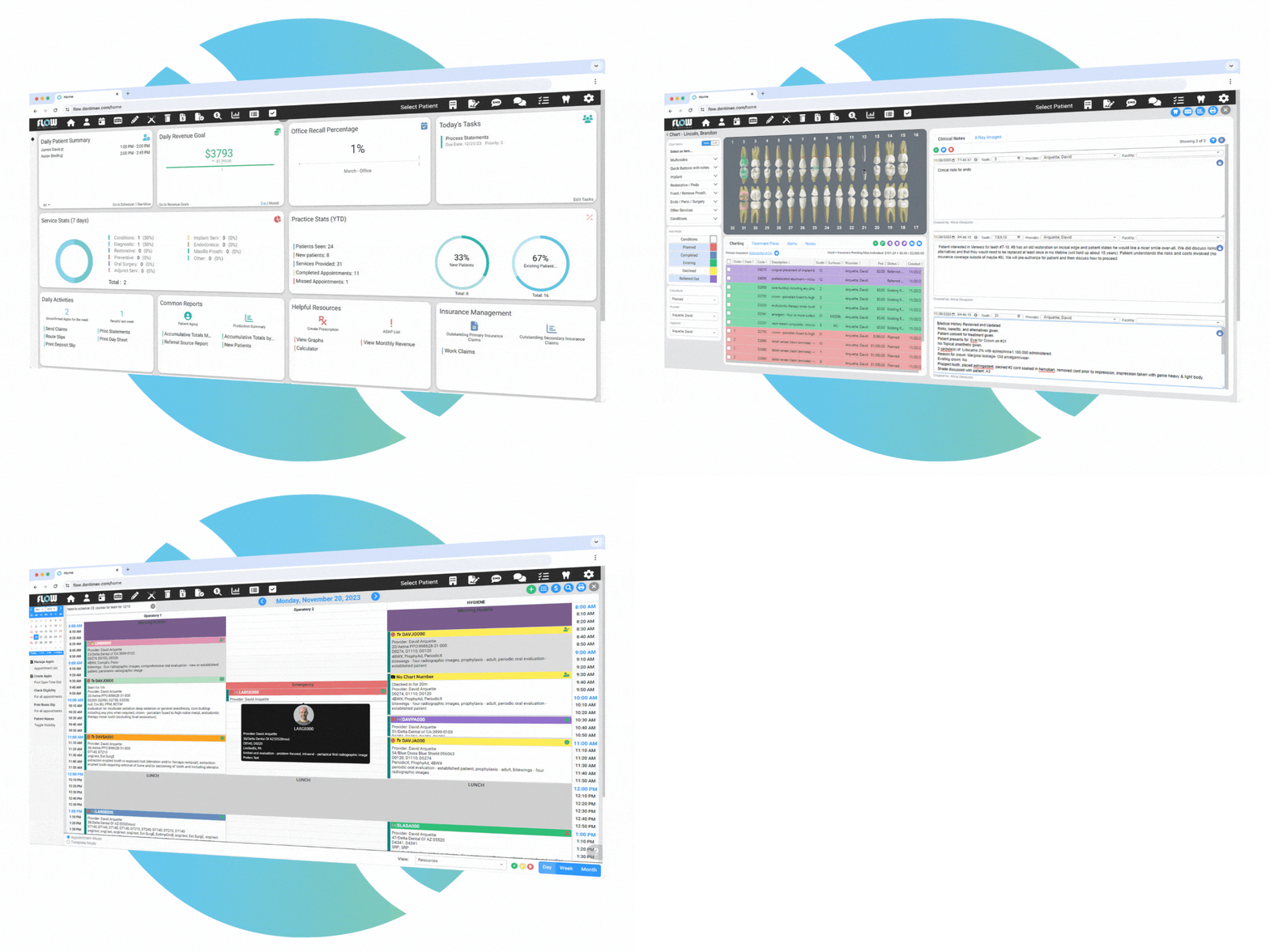
New Appointment Book Pro
Read about the NEW APPOINTMENT BOOK PRO
![]()
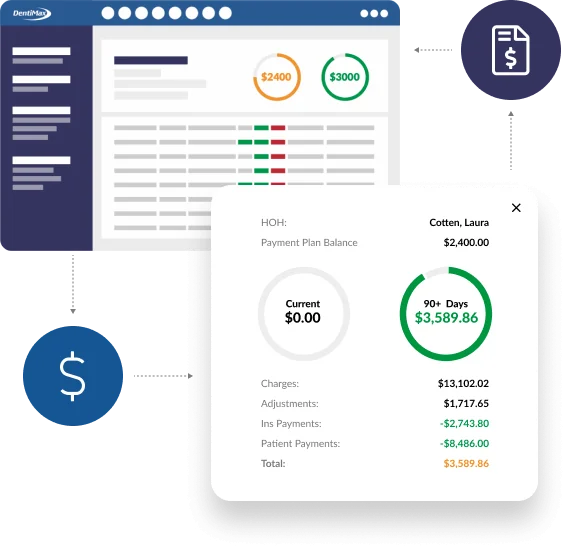
Payment Ledger with Payment Entry
Adding patient and insurance payments couldn’t be made easier with
the patient ledger. Quickly identify today’s patient owed
amount and the overall family balances and enter your
patient’s payment. Use the EOB Entry screen to quickly enter
your insurance checks, deductible amounts and possible write offs.
Show Me
Appointment & Revenue Scheduling
Personalize the appointment scheduler for your practice. Double
book patient appointments in an operatory if needed and move
multiple appointments from one day to another. Customize the
information that appears on the appointments, modify the
appointments to display the patient’s age, insurance name , CDT
abbreviations or other information. Now, all you need to do is
glance over at the computer screen to see everything you need to
know for your next patient. Show Me
Manage
expected and actual revenue.
View your revenue figures on the monthly calendar. Quickly
determine how much money is scheduled for each day of the month, how
much money has been posted to the ledger and best of all, display
how much money you’ve actually collected. DentiMax also gives you
the ability to display this information by provider, making it easy
to keep tabs on your associate dentist and hygienist’s performances.Show Me
Electronic Insurance Claims
Get
paid faster with electronic claims.
View an image of your insurance claim form graphically, add any
necessary notes and changes and then electronically send your
insurance claims easily and seamlessly with the click of a button.Show Me
Patient Statement
Printing
patient statements has never been so easy and there is a patient
statement for every situation. If your patient is ready to checkout,
then quickly print the Patient Walkout statement. If it is the end
of the month, then quickly and easily print your month end Family
statements.Show Me
Custom Report Writer
Access
any information with the custom report writer. Use the
advanced DentiMax report writer to obtain any and all information
you would ever want or need in order to make your practice run
smoothly. Customize any existing DentiMax report, statement, letter,
list or claim. Or, create your own custom reports to fit your
practices unique needs. You no longer need to be frustrated by not
being able to obtain specific information from your software.Show Me
ASAP & Recall Appointment List
Keep
a full schedule with the recall & ASAP appointment system.
Record the details of appointment confirmations, easily create new
recall appointments and keep your hygiene schedule full with the
interactive recall list. A patient cancels their appointment? No
worries, jump to the ASAP list, to quickly fill possible holes in
your schedule.Show Me
Line, Bar and Pie Charting
Use
the graphs in DentiMax to quickly see informational trends within
your practice.
View the scheduled production by date, or graphically view the
appointment count by date. Monitor the number of times procedures
are performed in the last 60 days. The DentiMax graphs can help you
visually identify the strengths and weaknesses of your practice.Show Me
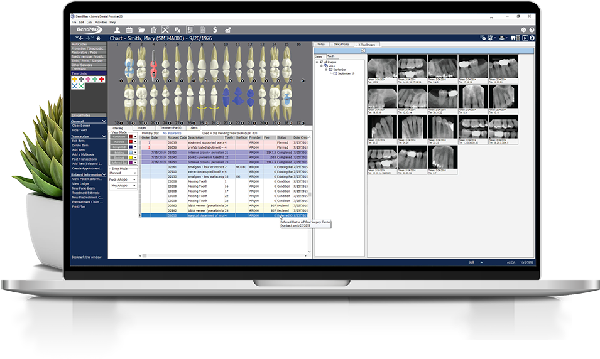
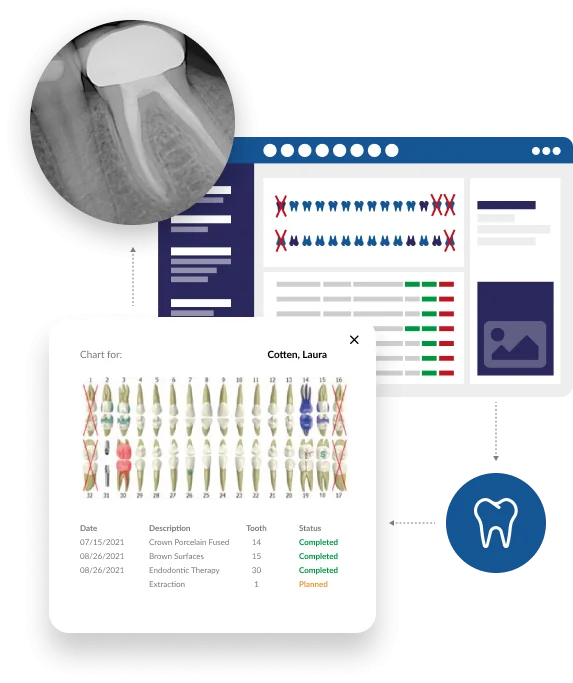
Clinical Charting
While there are many programs that will allow you to record dental charting information for dental records and referencing purposes, DentiMax is unique in its ability to completely integrate clinical charting with the patient ledger and scheduler as well as other areas of the program. By so doing, DentiMax’s clinical charting can replace paper charting forms, allowing you to capture the dental billing information directly from the source—chairside in the dentist’s operatory. Additionally, DentiMax’s charting interface is very flexible and customizable, allowing you and your staff to easily tailor the charting screen to fit your unique preferences and needs.
Treatment Planning
Get
more patients to come back by using DentiMax treatment plans. You
can set up multiple treatment plans and multiple sessions for your
patient. Then, print out the treatment plan with the patient and
insurance estimates so the patient will understand the costs covered
by the insurance and the work needed to be done.Show Me
Visual Treatment Planning
Treatment
plan faster with DentiMax's 2-click treatment plan screen. Simply
click on the composite button, and then click on the surface of the
tooth. Need an additional surface, simply click on the additional
surface of that tooth and the treatment plan code will be upgraded
to the 2-surface code. Treatment planning is fast and easy with
DentiMax. Every button and picture can be customized to include your
frequently used procedure codes.
Perio Charting and PSR Exam
Easily
track patient PSR and Perio information.
Jump into the PSR exam screen and quickly record probing depths. The
Perio screen is capable of recording every Perio condition
imaginable so customize it to only display the values that your
insurance companies require. Use the Perio Graph as a patient
education tool. The Perio exams are easy to print and can be sent to
the insurance company electronically or on paper.Show Me
Prescription Writing
Track
and quickly write prescriptions.
Track your patient prescriptions history with your integrated
prescription writing tool. Need to refill a patient’s prescription?
No problem. View your patient’s prescription history and quickly
copy over a previous prescription.Show Me
Complete ADA CDT Codes
Save
hours of data entry by adding all the ADA codes with a simple click
of the button. Additionally, using the complete ADA code CD ensures
that you are coding the correct code for the right surface or tooth
- correct coding means less rejected claims.Show Me
Home | Pricing |Software Features | Download Demo | Imaging | Support | Dealer Team
©Copyright 2007, DentiMax. All Rights Reserved. No text or graphics from this web site may be duplicated without express written permission from its owner. Privacy Policy | Site Map